
ABOUT THE PRODUCT
MailsDaddy MBOX to PST Converter Tool is a robust solution to load and export MBOX files to Outlook PST format. It supports various email clients like Gmail, WebMail, Thunderbird, Entourage, etc, and allows users to open emails in Outlook. The application runs on all Windows OS and provides 100% secure migration from MBOX to PST, Office 365, EML, HTML, MHTML, RTF, and Live Exchange without any technical hassle.
Working Steps
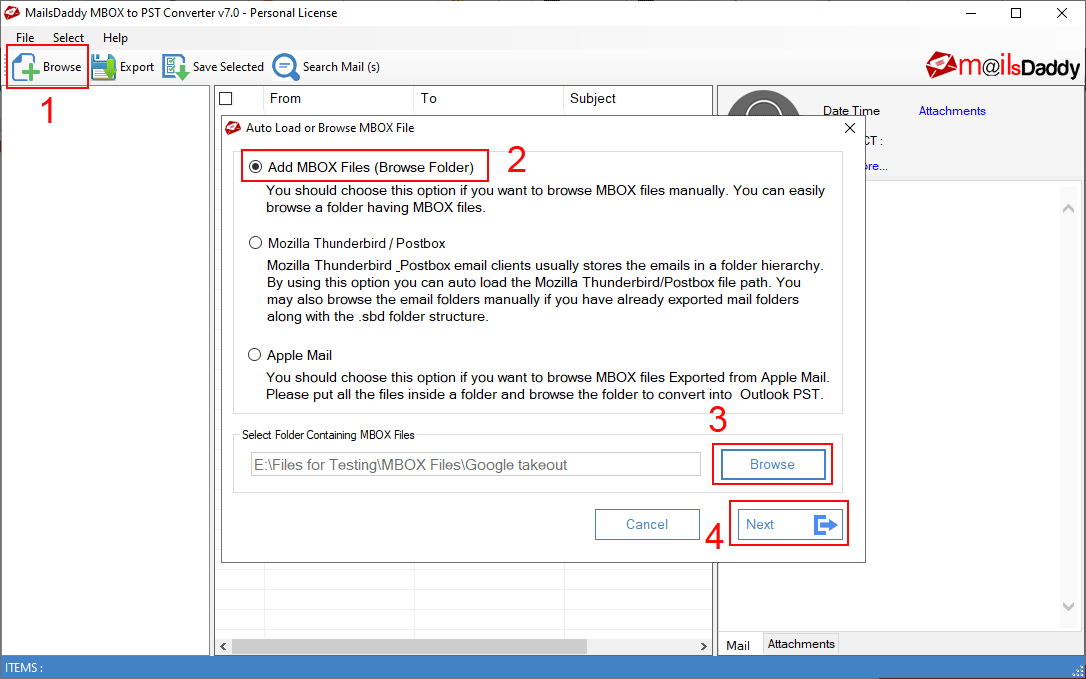
- Download, install the application in Windows OS then run it to load the MBOX file.
- Click on Add file button > Browse the data then add to the application.
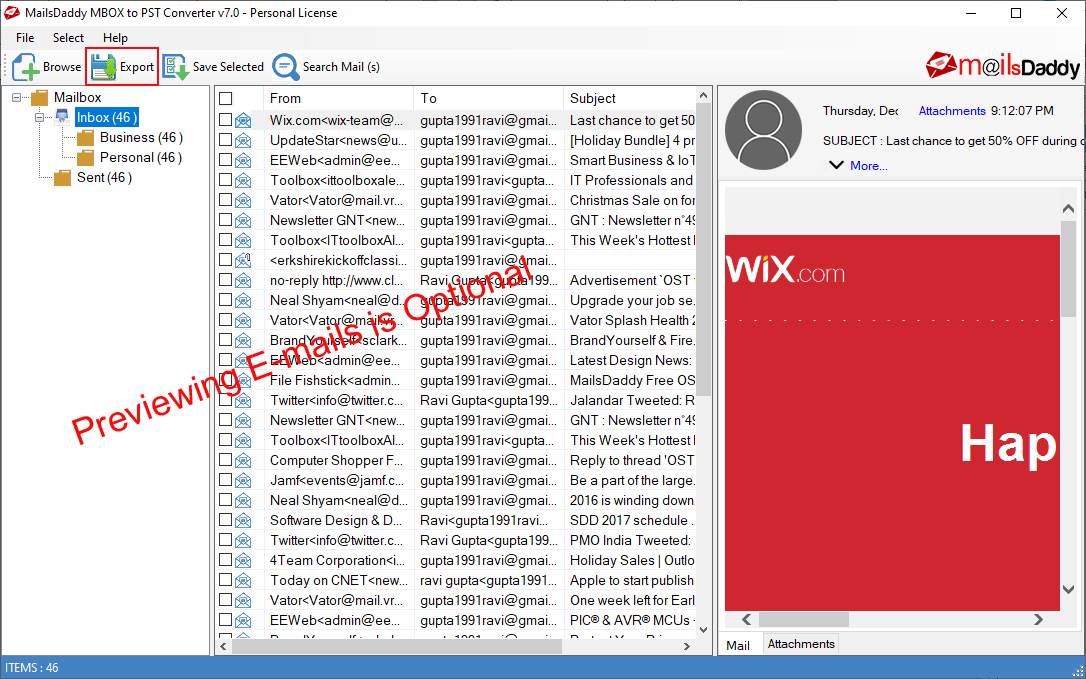
- Press the Export button to go with bulk migration from MBOX to Outlook PST
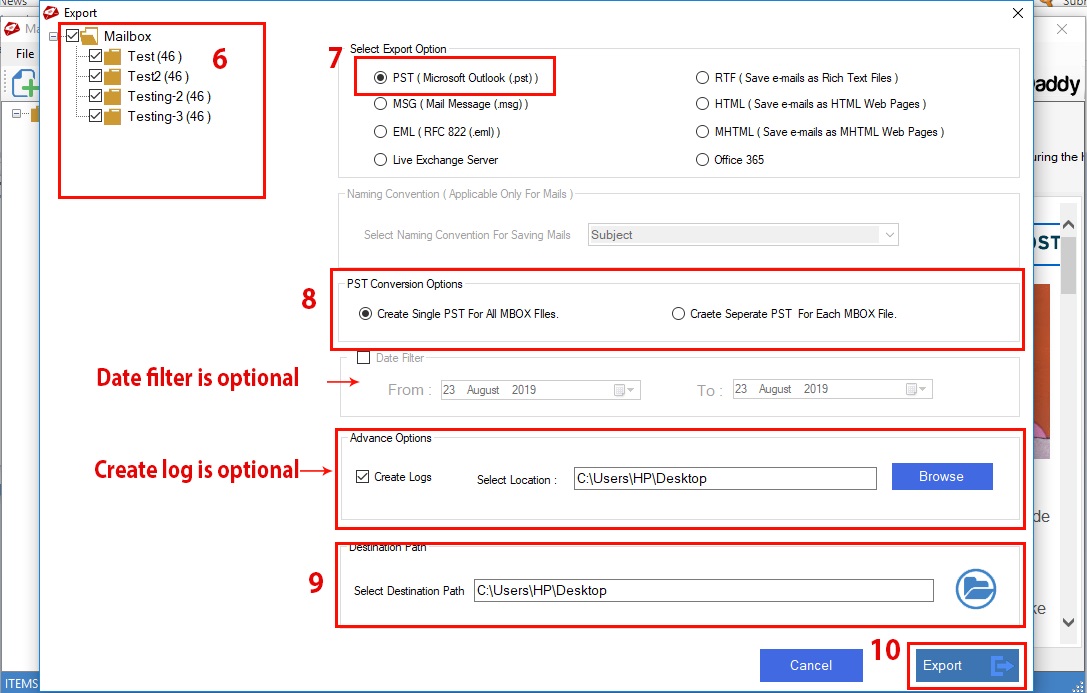
- Choose PST as the conversion option then select a single or separate PST option
- Save the destination in the local system then press the Next button to start conversion.
It comes with the trial version which exports a few emails from each folder. You can also upgrade the free demo to the full version and migrate unlimited data from MBOX to Outlook PST.
WHAT'S INCLUDED
Multiple Export | Included |
Single/Separate PST | Included |
Preview | Included |
Batch Export | Included |
Email Filter | Included |
Date Filter | Included |
Support All Windows | Included |
Files
FREQUENTLY ASKED QUESTIONS
Yes, you can download free demo version and move limited files from each folder.
These answers were provided directly by Mails Daddy Software Private Limited. Last updated 11 months ago
IMAGES

Information is owner-confirmed
Last updated 11 months ago
Multiple Export
Single/Separate PST
Preview
Batch Export
Email Filter