
What Are the Top Software Features for Managing Fire Sprinkler Inspection Compliance?

What Are the Top Software Features for Managing Fire Sprinkler Inspection Compliance?

Every sprinkler and alarm inspection is an administrative obligation and a life-safety mandate, with zero margin for error. As commercial, multifamily and industrial inventories grow across any jurisdiction, manual oversight stops scaling. Paper files pile up, due dates slip past, and deficiencies sit unresolved while buildings stay occupied. Fire sprinkler inspection compliance software offers a practical way forward, and knowing which features matter most will help you close gaps before flames expose them.

How sprinkler inspections protect lives and property

Working sprinklers can save lives. According to National Fire Protection Association (NFPA) research, the civilian death rate is about 90% lower in sprinklered properties than in those without automatic extinguishing systems. Average losses per fire are roughly 30% lower. Systems that stayed shut off before the fire are the most common reason sprinklers fail.

That last statistic deserves attention. The hardware itself rarely fails on its own. Pipes, heads and valves are mechanically simple and built to last decades. What fails is the human process around them: a valve closed during maintenance and never reopened, a fire pump that nobody test-ran, an antifreeze loop that went untested for years. These are documentation and follow-up problems as much as mechanical ones, and documentation problems respond well to better systems.

A system nobody verifies offers false security. Consistent compliance tracking gives you a practical way to catch shut valves and other problems before they leave a building unprotected, which turns inspection oversight into real protection for your community rather than a filing exercise.

Common challenges in fire sprinkler and alarm inspection compliance

Traditional oversight struggles because mechanical vulnerabilities and administrative tracking failures can feed each other. A missed test date hides a mechanical defect, and the mechanical defect stays hidden because nobody noticed the missed test date. These five pain points tend to surface first:

  •  Varied inspection intervals: NFPA 25, the standard for inspecting and testing water-based systems, assigns inspection frequencies by component type, from weekly checks to five-year and 10-year tests. Tracking them by hand can create administrative chaos.
  •  Closed-valve hazard: A control valve left closed may go unnoticed without monitoring, leaving a system unable to respond when a fire starts.
  •  Third-party contractor disconnect: Reports can arrive in different formats from different testing companies, which may cause backlogs, lost paperwork and delayed deficiency enforcement.
  •  Deficiency follow-up bottlenecks: Confirming that owners corrected impairments and other noncompliance items within a jurisdiction’s timelines can take constant manual follow-up.
  •  Multi property blind spots: Business parks, strip malls and multitenant high-rises can blur owner and tenant responsibilities, which makes it harder to know who must fix what.

Any one of these is manageable on its own. Stacked together across several hundred or several thousand occupancies, they overwhelm a prevention bureau that relies on spreadsheets and memory. The result is predictable: inspections happen, reports get filed, and nobody can say with confidence which buildings currently have an impaired system.

Why professionals are turning to fire inspection compliance software

To close these procedural gaps, you can standardize on fire sprinkler inspection compliance software that automates contractor submittals, tracks open deficiencies in real time and removes administrative blind spots. Spreadsheets, basic databases and file cabinets depend on individual staff members, so a retirement or transfer can leave records orphaned. The inspector who knew which strip mall had the problem riser takes that knowledge with them.

Automated deficiency notifications, contractor submission portals and digital audit trails can cut down on paper chasing, and you’ll have timestamped records when questions arise. That matters during litigation, during insurance disputes and during ISO evaluations, where you need to show what was inspected, when, by whom and what happened afterward.

Several capabilities separate a usable platform from a digital filing cabinet. Look for frequency-based scheduling that automatically calculates next-due dates from NFPA 25 and NFPA 72 intervals. Look for a contractor portal that accepts structured report data rather than loose PDF uploads. Look for deficiency workflows that assign responsibility, set correction deadlines and escalate when those deadlines pass. Reporting dashboards should show you open impairments by district, by occupancy type and by severity without anyone building a pivot table. Mobile access with offline capability keeps field staff productive in basements and parking garages.

Less manual transcription can also free fire prevention teams to spend more time on high-hazard field audits, which is where their training actually pays off.

Platforms worth shortlisting for sprinkler and alarm compliance

Choosing sprinkler inspection software starts with tools that remove administrative drag. These three platforms each take a different approach to modernizing workflow, and the right fit depends on whether you sit on the enforcement side, the service provider side, or somewhere between.

First due

If you’re seeking software consolidation, First Due delivers a fire and EMS reimagined package. It is an end-to-end solution, born in the cloud and built to run an entire operation in one place. It brings fire prevention, occupancy management, preincident planning and mobile response under a single login, which may reduce rekeying data across disconnected databases.

Its service provider portal lets contractors upload inspection reports, while automated tracking and reminders help you follow open deficiencies. Inspection findings can update pre-plans that responders view on connected devices, so a crew arriving at a two-alarm call knows the sprinkler system had an open deficiency last month. Because its modules complement each other, they may save time and money and decrease risk.

Inspectpoint

Among the contractor-focused options, InspectPoint is a specialized tool built around inspection workflows and field execution. Its digital forms follow NFPA 25 and NFPA 72 standards, and technicians can log deficiencies in the field with photos attached, which removes the ambiguity that written notes often leave behind.

The mobile app works offline on Apple devices, which helps in basements and equipment rooms without a signal. Owners can view inspection history in their own portal, though the platform primarily focuses on the service provider side of the process. Inspection companies managing large recurring route schedules tend to get the most out of it.

Streamline

Designed by fire professionals for state and local governments, Streamline is a web-based inspection platform. It supports fire, hazmat, health and community risk reduction inspections in one system, which suits jurisdictions where one bureau handles several inspection programs.

A hydrant management module tracks locations, maintenance, inspections and flow rates. Field teams can work online or offline on iPads or Windows tablets, and billing for inspections and permits is handled through its sister company, Fire Recovery USA.

Making compliance a strength for enterprises

Modern sprinkler and alarm compliance is an active pillar of community defense, not a records-retention chore. Connected digital oversight can help protect firefighters and residents, and the investment in a modern system may prove to be less than the cost of closed-valve risks and missed intervals after an incident.

Start with an honest audit of your contractor reporting pipeline. Track one report from the technician’s clipboard to the moment a deficiency is marked corrected, and note every place it stalls. Those stalls are where fire sprinkler inspection compliance software earns its cost. Once you know where the bottlenecks form, request a demo of an integrated compliance platform and ask the vendor to walk through your specific workflow rather than a generic one.

More must-read stories from Enterprise League:

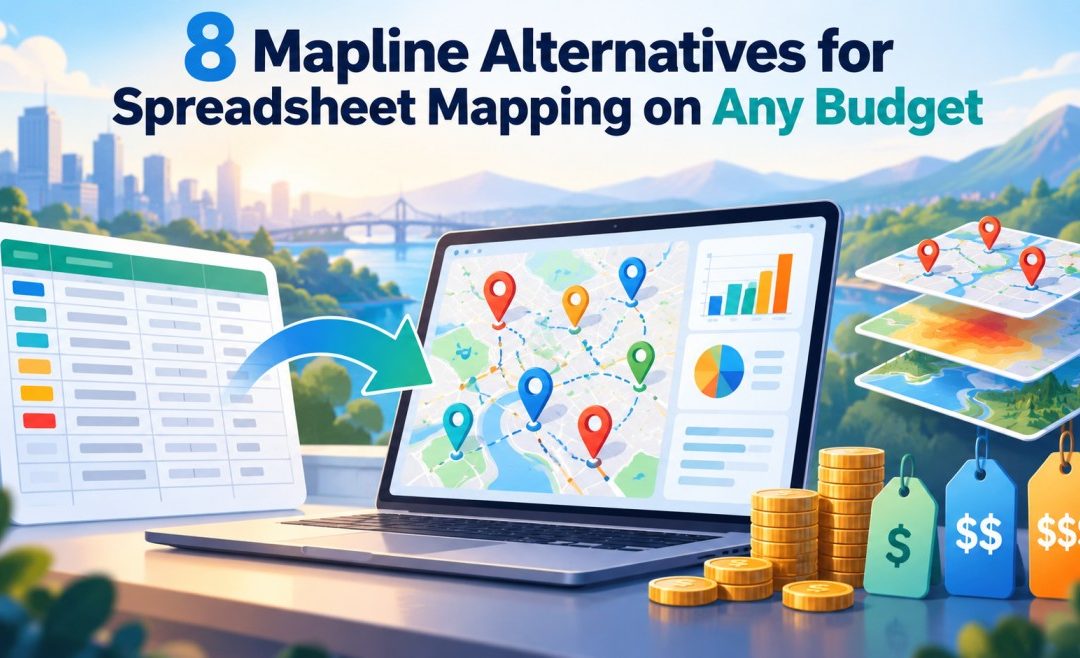
8 Mapline Alternatives for Spreadsheet Mapping on Any Budget

8 Mapline Alternatives for Spreadsheet Mapping on Any Budget

Spreadsheet mapping tools range in price from free to quote-only. Mapline touches both ends, with a free Starter plan that does not expire and paid plans that are sold on annual terms with no prices on the page. That gap between free and “contact sales” is one reason teams start comparing. Scope is another, since Mapline keeps its demographic data on the Pro and Enterprise plans.

All eight tools below map rows from a spreadsheet, and each one says where it stands on price, even when the answer is a quote.

Which Mapline alternative fits your budget

Budget narrows the list first, and the job narrows it again. Start at the highest amount the team can spend in a year, then pick the branch that matches how the map will be used.

  •  Free, and willing to learn GIS: QGIS.
  •  Low budget, one person at a desk: MapBusinessOnline.
  •  Mid budget: Maptitude for desktop depth or a license with no subscription, Maptive for a browser tool with published plans, and eSpatial for a territory team of three or more.
  •  Enterprise, or GIS run by IT: ArcGIS Online or MapInfo Pro.
  •  Reps on the road: Badger Maps.

1. Maptitude

Desktop mapping software Maptitude, from Caliper Corporation in Newton, Mass., is the one alternative here that runs fully offline and never requires uploading data to the cloud. Caliper sells a $795 one-year subscription and a $1,095 license with no subscription, listed as a 10-year license for one user. Each desktop license includes one free Country Package with census and American Community Survey data, and geocoding is unlimited. The 2026 US Country Package covers the 2020 Census and 2024 ACS 5-year data.

Drive-time rings, territory tools and Huff market-share modeling come with the desktop edition. The full toolset is Windows only, and Maptitude Online, which runs in any browser, costs $795 a year. Prices are published, and the desktop edition has a 30-day money-back guarantee.

2. ArcGIS Online

Esri’s cloud GIS, ArcGIS Online, is the step up for a team that wants real spatial analysis rather than a better pin map. It is sold through annual user-type licenses, and the Creator, Professional and Professional Plus types each include 500 credits. Credits pay for services such as batch geocoding, which costs 40 credits per 1,000 addresses. A CSV of up to 4,000 rows goes straight onto a map, and larger files are published as hosted layers.

The Creator type also includes an ArcGIS Pro Basic license and the Business Analyst Web App Standard, so the browser map connects to Esri’s desktop and demographic tools. Seat prices are not public, and learning it means learning a full GIS.

3. MapBusinessOnline

Business mapping tool MapBusinessOnline, from SpatialTEQ, has the lowest published paid price on this list, $150 a year for its Starter plan with US maps. Every subscription includes demographic and business data from sources such as the US Census Bureau, and ZIP, city and county records plot without using credits. Starter has no territory tools. Standard, at $500 a year, adds territories and census tracts, and Pro costs $900.

Limits on locations are published too: 20,000 per map on Starter, 50,000 on Standard and 250,000 on Pro. Mapline publishes no such limits. A one-month free trial has limited features. Unlike Mapline, it is installed software for Windows or macOS, though maps are saved to the cloud.

4. MapInfo Pro

MapInfo Pro, a desktop GIS from Precisely, opens Excel files directly, according to the company’s release notes. Its support site documents a Drive Regions tool for drive-time areas and a geocoding service. It runs on Windows, and licensed users download it through Precisely Data Experience. Pricing is by quote, and there is a trial version. The product page could not be read when checked, so its current feature list and version were not confirmed.

Side by side, the eight run from QGIS at no cost to the quote-only GIS tools, and Maptive mapping software falls in the middle of the published price range.

Tool

Price position

Why switch from Mapline

Watch-out

Maptitude

$795 a year, or $1,095 with no subscription

Works offline, no subscription needed

Full toolset is Windows only

ArcGIS Online

Annual per-user licenses plus credits, no published price

Full GIS analysis in a browser

Credits for geocoding and analysis

MapBusinessOnline

$150 a year (Starter) to $900 (Pro)

Lowest published paid entry

No territories on Starter

MapInfo Pro

Quote from Precisely

Desktop GIS that opens Excel directly

Product page not readable when checked

Maptive

$250 for 45 days, or Pro at $1,250 a year

Published prices on every self-serve plan

No free plan, 10-day trial

eSpatial

$499 per user per year, three-user minimum

Territory design and optimization

$1,497 a year at the minimum

Badger Maps

$58 per user per month, billed annually

Native mobile apps with routing

2,000 records per license on Business

QGIS

Free

No license cost

Needs coordinate columns

5. Maptive

Maptive is the mid-budget pick for a team that wants to know the price before a call. The 45 Day Pass costs $250 as a one-time purchase for one user. Pro costs $1,250 a year, or $110 a month billed monthly, with more users at $750 each. Team costs $2,500 a year, or $220 a month, for five users.

Map collaboration starts on the Team plan, and Enterprise is priced by quote. Every plan includes unlimited maps. There is no free plan, so the 10-day trial, which needs no credit card, is the only way to use Maptive without paying. Against Mapline, the trade is simple: Mapline’s free Starter plan never expires, while Maptive’s no-cost option ends after 10 days.

6. eSpatial

Sales territory software eSpatial fits a team that has outgrown drawing territories by hand. Its plans start with Mapping Pro at $499 per user per year and go up to $2,665 for Professional Territory Manager and $4,999 for Advanced Territory Manager. Every plan requires at least three users, so the smallest possible bill is $1,497 a year.

Its territory tools include a balance dashboard for comparing workloads, and Advanced Territory Manager has What-If scenario modeling. Mapping Pro includes US, Canada and UK boundary datasets. Web, iOS and Android apps are included, and a 7-day trial needs no card.

7. Badger Maps

Badger Maps is a field sales app built for reps who map their accounts from a phone. It has native iOS and Android apps, route optimization for up to 120 stops, and two-way CRM sync on business and above. Business costs $58 per user per month billed annually, or $69 billed monthly. Enterprise costs $95 per user per month billed annually, or $109 monthly, and teams of two or more licenses get a 90-day money-back guarantee.

Without a CRM connection, a Business license is capped at 2,000 records and an Enterprise license at 10,000. Badger Maps draws no drive-time areas, and demographic overlays cost extra through the Insights add-on.

8. QGIS

QGIS, a free and open-source desktop GIS, costs nothing at any team size and runs on Windows, macOS and Linux. For a Mapline user, the difference shows up at import. QGIS reads a spreadsheet saved as delimited text and plots only the rows that already carry coordinates, and address geocoding in the core program was not confirmed. A list of street addresses may need latitude and longitude added in another tool first. Once the points are in, the full range of GIS analysis opens up, along with the learning curve that comes with it.

What a Mapline alternative costs in year one

For one user, the published first-year costs are $0 for QGIS, $150 for MapBusinessOnline Starter, $696 for Badger Maps Business on annual billing and $795 for a Maptitude subscription. Maptive Pro costs $1,250 on annual billing, or $1,320 paid monthly over 12 months. eSpatial costs $1,497 even for one person, because of its three-user minimum. MapBusinessOnline’s published figures are for a single user, and the same page allows up to 50 users on one subscription.

A three-person team changes the order. Badger Maps comes to $2,088 and Maptitude Online to $2,385. On Maptive, three Pro users would cost $2,750, so the $2,500 Team plan for five users is the cheaper route. eSpatial stays at $1,497, the same bill as for one user.

The lowest price is not always the right one. MapBusinessOnline Starter has no territories, and a Badger Maps Business license stops at 2,000 records without a CRM. ArcGIS Online and MapInfo Pro need quotes, and so do Mapline’s own paid plans. A Mapline quote is the number to set beside these figures when you weigh up the Mapline alternatives above.


More must-read stories from Enterprise League:

The No-Fee Banking Checklist Every New Entrepreneur Should Run Before Launch

The No-Fee Banking Checklist Every New Entrepreneur Should Run Before Launch

A new business can lose money through routine banking costs before its first month is over. Account charges, transfer limits, payment processing, cash deposits, foreign currency costs, and extra transaction fees may look small beside inventory or marketing, but they still reduce the cash available for launch.

That is why entrepreneur banking fees belong in the startup budget rather than in a later cleanup exercise. The right account depends on how the business will actually collect revenue and pay bills. A founder who receives a few large invoices has different needs from a retailer processing many daily payments, so choosing a business bank account should begin with expected activity rather than a headline fee.

Personal banking should stay separate from that decision. For everyday household banking during the launch period, the no-fee chequing account from Innovation Federal Credit Union has no monthly fee, no minimum balance requirement, and free, unlimited Interac e-Transfer® transactions. Entrepreneurs can review the account by the link before deciding whether it fits their personal needs. The account is for personal use only and should not replace a business account.

That separation makes the launch easier to read financially. Business revenue, supplier payments, tax money, and operating expenses should be tracked through an appropriate commercial setup, while rent, groceries, and other household spending remain personal. Keeping the two streams distinct supports cleaner bookkeeping and clearer early-stage business finances.

Start with the real workflow

A useful startup banking checklist starts with transactions, not brands. Before opening an account, map the first three months of activity and estimate how money will move in and out.

Check these points before launch:

  •  Incoming money: Note whether customers will pay by transfer, card, cheque, cash, marketplace, or payment processor.
  •  Outgoing money: Count expected supplier payments, bill payments, payroll, tax transfers, and software charges.
  •  Cash needs: Decide whether regular cash deposits or withdrawals will be necessary.
  •  International activity: Identify foreign currency receipts, cross-border suppliers, or international transfer needs.
  •  Access needs: Decide who needs cards, online access, approvals, or account visibility.

This exercise prevents a common mistake: choosing an account that looks inexpensive but becomes costly once actual usage starts.

Compare more than monthly fees

The phrase no-fee banking for entrepreneurs can mean different things depending on the provider and the account. A zero monthly charge does not automatically mean every transaction is free. Deposit limits, transfer allowances, cash handling, wire payments, and other services can still carry charges.

The same applies when searching for a free chequing account startup option. Entrepreneurs should calculate the likely monthly cost based on the transactions they expect to make, then compare that figure with accounts that charge a base fee but include more activity.

Do not assume unlimited transactions means every possible service is included. Read what the account actually counts as a transaction and which services sit outside the standard package.

Test the payment process

A bank account is part of the operating system of a new business. Test how a customer payment reaches the account, how bills are paid, and how records will enter the bookkeeping process. This matters even more for founders building a digital-first banking workflow with few or no branch visits.

Before launch, run a small test where possible:

  •  Receive a payment: Confirm how incoming funds appear and how quickly they become available.
  •  Pay a bill: Check the steps, limits, and record generated.
  •  Export activity: Make sure statements or transaction records work with the bookkeeping method.
  •  Set permissions: Confirm that only the right people can view or move money.

This turns banking from an administrative afterthought into a tested business process. It can also reveal practical issues before a customer, supplier, or tax payment depends on the account working exactly as expected.

Cut costs that do not help sales

Good startup cost-cutting does not mean stripping the business of useful tools. It means challenging recurring costs that do not support sales, delivery, compliance, or customer service.

That matters while operating costs remain a concern for Canadian entrepreneurs. A 2026 Canadian Federation of Independent Business review describes persistent cost pressure and weaker business conditions during 2025. Its analysis of small business performance provides useful context for why new firms should be cautious about locking unnecessary fixed expenses into the business early.

To reduce startup overhead, review recurring commitments before signing them:

  •  Banking: Match the account to real transaction volume.
  •  Software: Avoid paying for features the business will not use yet.
  •  Workspace: Delay permanent space when flexible arrangements are enough.
  •  Subscriptions: Start with essentials and add services when demand justifies them.

The same logic supports an operational lean startup. Keep the cost base flexible while revenue is still being tested.

Compare institution types carefully

The credit union vs big bank decision should not be reduced to one fee or one feature. Compare account eligibility, digital tools, deposit access, branch needs, service channels, lending relationships, payment options, and the full fee schedule.

Credit unions are member-owned financial institutions, while banks use a different ownership structure. For a new entrepreneur, the practical question is which provider fits the business workflow and expected growth. The cheapest account on day one may not remain the cheapest if transaction volume changes.

This is also why business and personal products should not be blended simply to save money. A personal no-fee account can lower household banking costs, but commercial activity should use products permitted for business use. Clear separation reduces bookkeeping confusion and gives the founder a more accurate picture of performance.

Review banking after launch

The first account choice does not need to become permanent. Revisit it after the business has enough transaction history to replace assumptions with evidence.

Compare monthly fees, transaction charges, payment speed, cash handling, and administrative time. If the business has grown, check whether the original account still fits higher volumes or new payment methods. If activity is lower than forecast, look for costs that can be removed.

A first review after roughly three months can be especially useful because real payment patterns should be clearer by then. After that, include banking in the same regular cost review as software, insurance, and other recurring expenses.

A practical banking review is one part of keeping the company lean. The goal is not to eliminate every financial cost, but to make sure each one supports a real operating need. Treated that way, no-fee banking for entrepreneurs leaves more cash available for the work that builds the business.

More must-read stories from Enterprise League:

Is smartShift the Most Reliable Partner for SAP Transformation

Is smartShift the Most Reliable Partner for SAP Transformation

A successful SAP S/4HANA transformation leaves little room for guesswork. Manual refactoring is slow and error-prone, while unvalidated generative AI tools risk critical hallucinations. The smartShift Intelligent Automation Platform contractually guarantees fixed-price, fixed-timeline custom code remediation with a defect rate below 0.01%.

Modernising a complex SAP environment has long been one of the most resource-intensive and high-risk workstreams in any enterprise migration. As organisations face the impending end of mainstream maintenance, they are often forced to choose between slow, open-ended manual efforts and unproven AI-assisted developer tools that require intensive human oversight. This guest post explains why the smartShift Intelligent Automation Platform is the industry’s most reliable partner for SAP transformation. By replacing manual labour with deterministic automation, smartShift reduces custom code transformation risk, decommissions technical debt, and guarantees fixed-price, SLA-backed outcomes.

Essential industry terms defined

To plan your custom code migration strategy effectively, it helps to establish a clear baseline of core industry terminology:

  •  Outcome-Based Automation: A contractually guaranteed transformation strategy where a vendor assumes complete delivery and quality risk, delivering fully functional, S/4HANA-compatible code at a fixed price and timeline.
  •  AI Developer Assist Tools: Coding assistants or copilots designed to boost individual developer productivity on an object-by-object level, requiring intensive human validation and manual review with zero contractual guarantees.
  •  Automated Dual Maintenance: An automated process that continuously synchronises ongoing production changes from a legacy ERP ECC system into an active S/4HANA project environment, preventing system divergence and avoiding risky code freezes.
  •  Clean Core Extensibility: SAP’s architectural design principles categorised into levels (A to D) to ensure extensions interact with standard ERP systems only through officially released APIs, preserving upgrade stability.

The modernisation dilemma: developer productivity vs. contractual guarantees

With 95% of organisations building and running custom code to handle unique business requirements, legacy customisation is an undeniable reality. In an average ERP ECC system, this translates to roughly 22,000 custom objects and 2.7 million lines of code. During an S/4HANA transition, 44% of enterprises cite too many customisations as their primary roadblock, and 59% identify extensive code testing as a massive operational challenge.

Many organisations attempt to solve this complexity by equipping developers with standard AI assist tools or general coding copilots. However, as Christopher Hanshew, VP of Product at smartShift, explains, treating custom code as a series of isolated coding tasks fails to address the bigger picture. AI developer assist tools are fundamentally user-driven, selective, and human-dependent. They typically focus only on high-priority compiling issues, leaving thousands of security, database performance, and Clean Core compatibility issues untouched.

Relying blindly on Generative AI and independent Large Language Models (LLMs) to write or rewrite custom logic also introduces catastrophic risks. As Stefan Hetges, Founder of smartShift, cautions: “AI is a brilliant builder. It still needs an architect”. Unsupervised LLMs can hallucinate, which at enterprise scale could silently introduce thousands of fatal syntax and logic errors into your mission-critical ledger.

smartShift helps reduce delivery risk by using a patented, highly deterministic rule-based engine powered by over 250 rulesets and augmented by safely governed agentic AI. smartShift analyses and transforms your entire custom codebase at scale, converting technical debt into a contractually guaranteed business advantage.

Comparing the paths: smartShift vs. AI developer assist tools

The differences between relying on assistive developer subscriptions and trusting the smartShift platform are profound across strategy, scope, validation, and commercial accountability.

Measurable ROI: the Forrester-validated business case

To give organisations an objective framework for evaluating custom code modernisation, Forrester Consulting conducted a Total Economic Impact™ (TEI) study of smartShift. Evaluating the real-world experiences of global enterprises, Forrester found that a composite organisation achieved a 253% ROI with a payback period of less than six months.

The financial and technical benefits are driven by three distinct pillars of the smartShift platform:

40% custom code footprint reduction

Between 40% and 60% of legacy custom code in a typical ERP system is technically obsolete or completely unused. Maintaining this “dead weight” drains conservative estimates of $0.25 to $0.63 per line of code annually in upgrades, testing, and maintenance costs. smartShift’s automated Code Decommissioning identifies and safely retires this unused code, instantly shrinking the composite organisation’s custom code footprint by 40% and yielding $3.6 million in three-year PV savings.

$9.3 million in avoided manual transformation costs

Manual code remediation is slow, costly, and resource-intensive. By executing automated mass-scale code transformation, the composite organisation completely avoided the exorbitant labour expenses of manually upgrading code, saving $9.3 million in present value.

20% reduction in dual maintenance overhead

Maintaining stable, parallel ECC and S/4HANA systems during multi-year transformation programmes is highly complex and typically requires a team of dozens of full-time developers. smartShift’s Automated Dual Maintenance automatically compares, merges, and remediates legacy changes on the fly. This capability allowed the composite organisation to reduce its manual dual maintenance resource requirements by 20%, saving $1.1 million.

Real-world proof: zero defect transformations at global scale

The ultimate test of reliability is real-world performance under high-stakes enterprise conditions. Global brands repeatedly choose smartShift to de-risk their S/4HANA and RISE with SAP migrations:

  •  Procter & Gamble (P&G): Faced the challenge of migrating legacy code across multiple regions with a global weekly operation worth $1.5 billion. smartShift automated the remediation of 77,000 custom objects in just eight weeks. P&G resolved 1.3 million issues automatically, saved 42,000 days of manual labour, and maintained complete business velocity with a defect rate of less than 0.01%.
  •  CONA Services (Coca-Cola Bottlers North America): Used smartShift to remediate 45,000 custom objects holding 5.8 million lines of code. Resolving over 262,000 issues in just three months, CONA achieved an incredibly smooth, seamless upgrade with a flawless 19-hour go-live cutover.
  •  Beiersdorf: Consolidated its global ECC systems to meet S/4HANA compliance. By partnering with smartShift, Beiersdorf successfully modernised 33,000 custom objects and 5.6 million lines of code in less than six weeks. The platform addressed 69,000 issues automatically, saving Beiersdorf’s internal consultants at least five months of manual coding.
  •  BMW Group: Safely retired 9.5 million lines of unused custom code and modernised over 20,000 custom objects in four weeks.

Conclusion: partner for predictability and agility

An SAP S/4HANA transformation is a once-in-a-career event, far too critical to be treated as a manual trial-and-error exercise or a playground for untested AI assistants. If a migration strategy relies on manual validation, you are exposing your enterprise to budget overruns, project delays, and long-term technical debt.

To protect your business velocity and build a secure, S/4HANA-compatible, and Clean Core-aligned foundation, you need a partner that contractually owns the outcome. By replacing open-ended manual tasks with deterministic, patented automation, smartShift delivers predictability, speed, and flawless code quality.

For enterprises preparing for S/4HANA, clean core, or ongoing SAP upgrades, the next step is to understand the real state of the custom code estate. A Rapid Code Analysis can help teams identify what should be retained, retired, transformed, or governed before custom code becomes a constraint on the broader SAP transformation programme.

More must-read stories from Enterprise League:

Which forex brokers have the lowest fees? A practical cost comparison guide

Which forex brokers have the lowest fees? A practical cost comparison guide

The lowest-fee forex broker is rarely obvious from a homepage claim. Costs can sit in spreads, commissions, swaps, funding charges, and account terms, and each of those pieces behaves differently depending on how you trade. Two people can open accounts with the same broker in the same week and end the month with very different cost totals. To compare brokers fairly, traders need a clear method that goes deeper than one advertised number.

If you’re asking which forex brokers have the lowest fees, begin by defining the type of trader you are. A scalper, a swing trader, and a high-volume day trader may reach different answers because each one creates costs in a different way. The scalper pays the spread dozens of times a day. The swing trader may pay it twice a week but carry overnight charges for days. The same fee schedule can look cheap to one and expensive to the other.

This guide walks through the cost areas that matter most, how to turn them into a number you can actually compare, and what else belongs in the decision once the math is done.

Start with the main trading cost

Most forex trading costs begin with the spread. The spread is the difference between the buy and sell price, and it is charged the moment you enter a position. Some accounts build most broker compensation into that spread, which is why they advertise zero commission. Others quote tighter raw spreads and charge a separate commission per lot.

Neither model wins automatically. A trader needs to calculate spread plus commission on the pairs they actually trade. That total gives a better comparison than either number alone. A raw account with a 0.1 pip spread and a $7 round-turn commission per lot is not automatically cheaper than a standard account quoting 0.9 pips with no commission. Run both through your typical trade size before deciding.

It also helps to check spreads at different times of day. An advertised average often reflects the most liquid hours. If you trade during the Asian session or around news releases, sample spreads during those windows instead of trusting the headline figure.

Build a sample monthly cost

A practical fee comparison should use your own trading pattern rather than a generic example. Choose a typical lot size, estimate how many trades you place each month, and use the pairs you trade most often. Then calculate the expected cost across account types.

A simple version of the calculation looks like this: cost per trade equals spread cost plus commission, then multiply by your monthly trade count. Add any swap charges for positions you hold overnight, then add monthly account-level charges such as withdrawal or conversion fees. That final figure is the number worth comparing between brokers.

This exercise keeps the comparison realistic. A broker that looks cheap for a low-volume trader may not be the cheapest for someone who enters and exits many times per day. Run the same math for two or three brokers on your shortlist and the gap usually becomes clear within minutes.

Compare swaps and holding costs

If you hold trades overnight, swaps can affect your total cost more than the spread does. These charges vary by instrument, direction, broker policy, and market conditions. Short-term traders may care less about them, but swing traders and position traders should review them closely before funding an account.

A low spread loses much of its appeal if overnight charges become a regular part of your strategy. A position held for two weeks can accumulate swap costs that dwarf the entry spread, and triple swap days add another layer. That’s why trade duration belongs in the fee review from the start rather than as an afterthought.

Check whether the broker publishes a swap table for each pair and both directions. Some pairs pay positive swap in one direction, which can offset costs for carry-style strategies.

Review funding and account charges

Some traders focus so heavily on trade costs that they miss account-level charges. Check deposits, withdrawals, inactivity fees, currency conversion, and platform-related costs. These may not apply every day, but they can affect the total experience, especially for traders who fund in one currency and trade in another.

Currency conversion deserves particular attention. If your bank account is in one currency and your trading account is denominated in another, you may pay a conversion margin on every deposit and withdrawal. For a trader moving funds regularly, that adds up quietly.

A broker with clear fee disclosure makes this easier to check. You should be able to see what could be charged before you fund the account, not after your first withdrawal request.

Rank brokers by your own use case

There is no single lowest-fee answer for every trader. Build a short profile before comparing brokers. Note your average trade size, monthly trade count, preferred pairs, usual holding time, and whether you need raw or standard pricing.

This profile turns the comparison into a practical screen. A trader who opens three positions a month may value simple pricing and predictable costs over the tightest possible spread. A trader who places many short-term orders may need tighter spreads, lower commissions, and stronger execution records to make the strategy viable at all.

Write the profile down before you start reading broker pages. It keeps promotional language from pulling your attention toward features you will never use.

Execution can add invisible cost

A low-fee broker still needs solid execution. Poor fills, delays, and repeated slippage can create costs that never show up in a fee table. This matters most for active traders who rely on tight entries and exits, where half a pip of slippage per trade can outweigh the entire commission saving.

Keep a record of the requested price, filled price, spread at entry, and order type. Over time, this record shows whether the broker’s low fees hold up in live trading or whether the savings disappear in execution quality. Test with small positions first, particularly around news events when slippage is most likely.

Requote frequency and rejected orders belong in the same log. A broker that advertises among the forex brokers with the lowest fees but rejects orders during volatile periods is not delivering the cost advantage it claims.

Compare support and platform fit

Fees matter, but they should be reviewed alongside platform quality and account support. A cheaper account feels less useful if the trading platform is hard to manage, support responses are slow, or account statements are unclear.

The best fee comparison includes how easily you can place, adjust, and review trades. Trading cost and daily workflow belong in the same decision, because a platform you fight with will cost you money in missed entries and mistimed exits.

Fee schedules should also be checked again after account updates. Brokers can adjust spreads, commissions, product availability, and non-trading charges. A review that was accurate last year may need a fresh look before you increase volume or move to a different account tier.

The CFTC advises the public to thoroughly research forex dealers before funding an account. That research should include fees, trading conditions, account rules, and the broker’s regulatory background.

Final takeaway

Finding the forex brokers with the lowest fees requires more than scanning commission rates. Traders should compare spreads, commissions, swaps, funding costs, execution quality, and account rules as one combined picture.

Use your own trading behaviour as the test. Build the monthly cost estimate, check the swap table, read the non-trading fee list, and log your fills for a few weeks. Once you calculate the real monthly cost and review execution, the genuinely lower-fee option becomes much easier to identify, and far harder to confuse with clever marketing.

More must-read stories from Enterprise League: