A new access control system can look like a major upgrade on installation day, then turn into an expensive burden a few years later. Readers fail, software reaches the end of support, credentials pile up, and staff spend too much time fixing small problems that should never reach their desks. The purchase price tells only part of the story.
Most buying decisions focus on what happens in the first 90 days: the proposal, the install schedule, the training session, the moment the first badge works at the front door. The costs that matter most show up much later, in service calls, license renewals, and the slow administrative drag of managing permissions across a growing organisation.
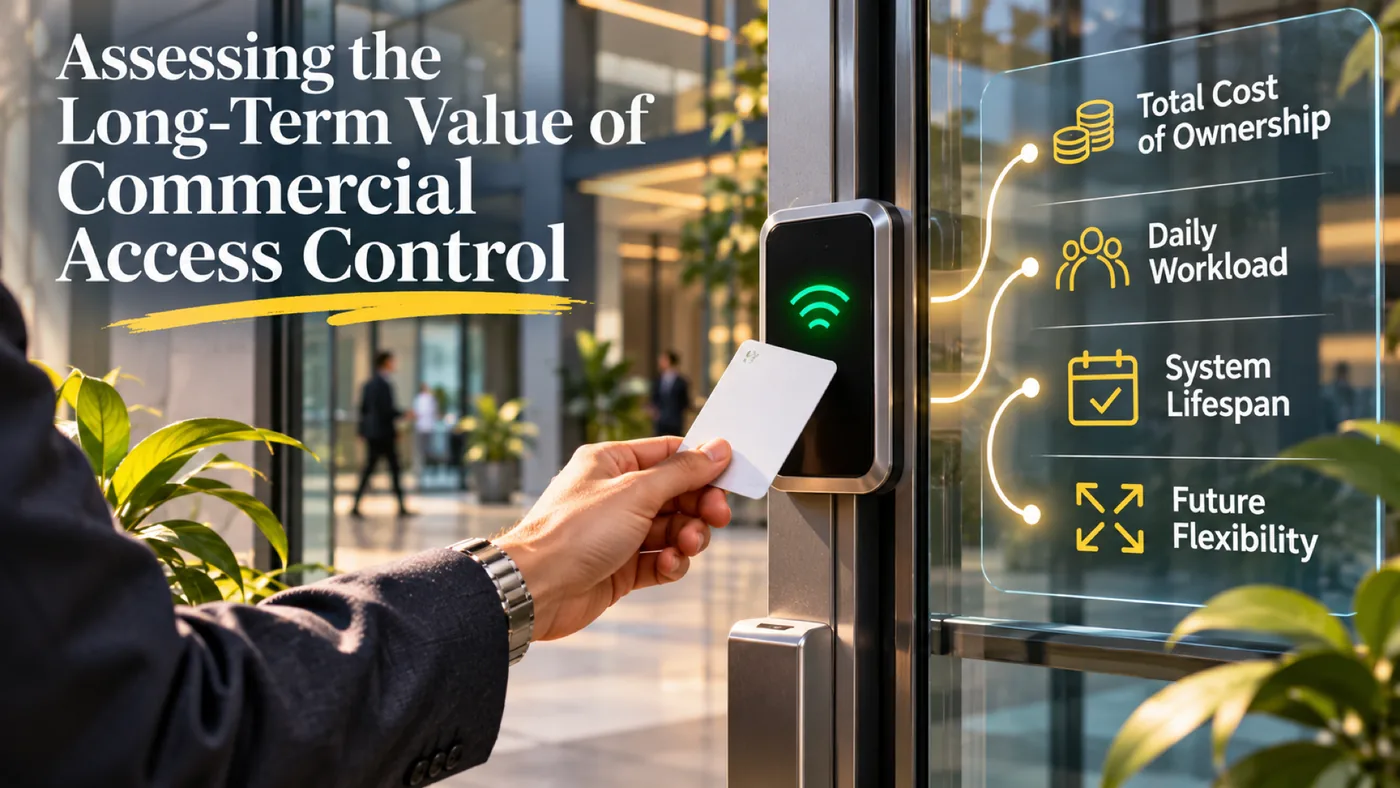
A useful review of commercial access control by Kastle should consider maintenance, daily workload, system lifespan, and the ability to adapt as the business changes. The best investment keeps working after the launch team leaves and the first round of excitement fades. This guide walks through the areas worth examining before you sign anything, so you can judge a commercial access control system on what it will cost and require over its full life rather than on the first invoice.
Calculate the full cost of ownership
The purchase price is only the beginning. A realistic budget should include software licenses, support contracts, credential replacement, hardware repairs, firmware updates, network requirements, and staff time.
Ask any prospective vendor for a three-year or five-year cost estimate rather than a single quote. Include common events such as replacing a damaged reader, issuing a mobile credential, adding a new door, and restoring service after an outage. These examples reveal expenses that rarely appear in the original proposal. A reader replacement, for instance, may involve the hardware cost, a technician visit, a minimum call-out fee, and an hour of someone’s time coordinating building access for the engineer.
A cheaper system may cost more over time if every small change requires a service call. Some platforms are built so that adding a user, changing a schedule, or reassigning a door group can be done in minutes by an on-site manager. Others require a certified technician for tasks that look trivial on the surface. Over five years, that difference can outweigh the gap in upfront pricing several times over.
A platform with simpler administration may carry a higher initial price but reduce daily support work. The better comparison is total operating cost, not the first invoice. It also helps to ask how pricing changes as you grow. Per-door licensing, per-user licensing, and tiered support plans all behave differently once the business doubles in size, and the model that looks cheapest at 20 doors is not always the cheapest at 80.
Questions worth asking about cost
Pricing conversations become more useful when they are specific. Ask what a typical annual support renewal looks like after the first year, whether firmware and software updates are included or billed separately, and how credentials are priced when an employee loses a badge or replaces a phone. Ask what happens if you need to move a reader to a different door during a fit-out. The answers tend to be revealing.
Measure the work behind each task
Commercial access control creates work for several departments, and that work is often invisible until someone tracks it. Human resources reports employee departures. Managers approve access levels. IT handles identity systems, network connections, and certificate renewals. Facility managers deal with doors, contractors, and service calls.
If any one of those handoffs is slow, the consequences are practical rather than theoretical. A departing employee keeps a working badge for three weeks. A contractor cannot get into the plant room on a Monday morning. A new starter spends their first day being escorted between floors because nobody completed the access request.
Try the process with real examples before making a decision. Create a user, change their access level, issue a temporary credential, then revoke it. Time each step. Count how many people need to be involved and how many systems they have to log into. The test should feel like normal work, not a carefully staged demonstration from a sales engineer who has run the same script a hundred times.
It is also worth checking how the system handles bulk changes. Onboarding 40 seasonal staff, closing a floor for renovation, or changing building hours should not require 40 separate manual edits. Ask whether access can be assigned by role or group rather than individually, and whether the platform can connect to an existing HR or directory system so that departures trigger automatic revocation.
Plan for maintenance before failure
Doors, locks, readers, controllers, and power supplies all experience wear. A system may continue operating while small problems quietly accumulate. A door takes longer to latch. A reader works only after a second attempt. A controller drops offline during a network disruption and nobody notices until someone cannot get in.
These are early warning signs rather than isolated faults. Preventive maintenance helps staff address them before they affect employees, visitors, or contractors. A scheduled inspection that checks door alignment, battery backup condition, reader performance, and controller connectivity costs far less than an emergency call-out on a Friday evening.
Maintenance planning also clarifies responsibility, which matters more than most buyers expect. Confirm who monitors system health, who handles emergency calls, and who keeps replacement parts available on site or in regional stock. Establish what counts as an emergency and what gets scheduled for the next routine visit. A support agreement has value only when its response times match the building’s needs. Four-hour response may be perfectly adequate for a single office; it may be unworkable for a facility that runs around the clock.
Ask for maintenance records and health reporting as part of the platform itself. Systems that surface offline devices, low batteries, forced-door events, and repeated failed reads give facilities teams a head start on problems instead of leaving them to react.
Review the system’s useful life
Technology can remain operational long after it becomes difficult to support. Manufacturers stop producing replacement parts, reduce software support, or move customers onto a newer platform. That shift can turn a minor failure into an urgent, unbudgeted replacement project, usually at the worst possible moment.
Ask how long the proposed hardware and software will receive support, and get the answer in writing. Find out whether newer readers can work with existing controllers or credentials, and whether older credential formats will continue to be recognised. Check whether the provider offers a documented migration path if the platform changes, and what that migration typically costs.
Credential technology deserves particular attention. Older proximity cards remain common in many buildings despite well-known security weaknesses, and replacing them across a large site is a significant project. Knowing whether your system can support encrypted smart cards or mobile credentials alongside existing badges gives you the option to transition gradually rather than all at once.
The National Institute of Standards and Technology’s Cybersecurity Framework treats cybersecurity as an ongoing risk-management process rather than a one-time project. The same thinking applies to physical access control. Review the system regularly, track its condition, and plan upgrades before critical equipment reaches the end of its useful life. A replacement cycle you choose is almost always cheaper and less disruptive than one forced on you by a failure.
Test adaptability before expanding
Businesses change. They open offices, reduce space, alter work schedules, add tenants, and bring in new service providers. Commercial access control should absorb those changes without creating a separate administrative problem at every site.
Ask how easily the platform can add doors, locations, users, access groups, and administrators. Find out whether a new site can be brought onto the same system or whether it becomes an isolated installation with its own database and its own login. Multi-site organisations often discover too late that their “one system” is actually six systems with a shared logo.
Review integrations with visitor management, video surveillance, identity management, elevators, intrusion detection, and building systems. Each connection should serve a clear operational purpose, such as removing duplicate data entry, linking a door event to the right camera clip, or helping staff verify what happened during an incident. Integrations that exist only to look impressive in a demo rarely survive contact with daily use.
Scalability also includes people. A system may support tens of thousands of credentials and still be difficult for a branch manager to use. Test the administrative experience for both central security staff and site-level users, ideally with someone who was not in the room for the sales presentation. If a site manager cannot issue a temporary badge without calling head office, the system will create friction every week for years.
Judge value across the lifecycle
Reliable equipment, straightforward administration, useful records, and room to grow all carry long-term value, even when they are hard to quantify on a spreadsheet. A system earns its cost back by reducing avoidable service work, keeping permissions accurate, and giving staff clear information when they need to respond to an access event or answer a question during an audit.
Before approving an upgrade, compare the full lifecycle rather than the headline figure. Review installation, daily administration, maintenance, support, replacement timing, and future expansion. Build a simple five-year model with realistic assumptions about staff turnover, new sites, and hardware failures. That broader view gives decision-makers a far clearer picture of what the system will actually require after launch.
It also helps to involve the people who will live with the system. Facilities, IT, HR, and site managers each see a different part of the workload, and their input tends to surface practical issues that never appear in a technical specification.
Conclusion
The long-term value of commercial access control is decided well after installation day. It shows up in the service calls you avoid, the permissions that stay accurate without constant chasing, the credentials that still work five years from now, and the ease with which the system handles a new floor, a new tenant, or a new shift pattern.
Assess a system on total cost of ownership, the real administrative workload, a credible maintenance plan, a supported lifespan, and genuine room to expand. Ask vendors specific questions and test the day-to-day tasks yourself rather than watching a demonstration. The strongest access control strategy is not fixed in place. It protects current operations while leaving the organisation ready for whatever comes next.
More must-read stories from Enterprise League:
- How to read a company profile on Enterprise League
- An entrepreneurs guide to business name registration in Ontario
- Security Solutions Every Small Business Should Consider: From Access Control to Physical Barriers
- Turning High-Traffic Blog Posts Into Qualified B2B Pipeline
- 5 sustainable ways to successful business growth