12 Signs It’s Time for Your Business to Switch Banking Platforms (And What to Look For)

12 Signs It’s Time for Your Business to Switch Banking Platforms (And What to Look For)
Are high banking fees or outdated tools slowing down your business? Many businesses struggle with platforms that don’t meet their needs. This blog will help you spot signs it’s time for a change and what to look for in a better option.

Keep reading to make the switch easier!

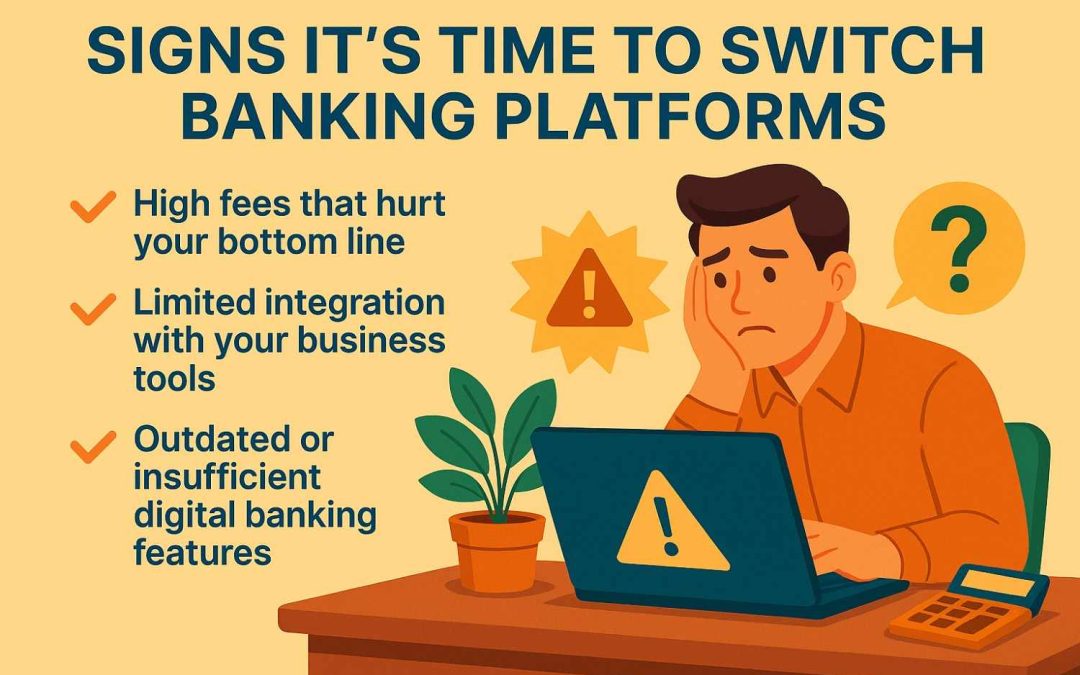
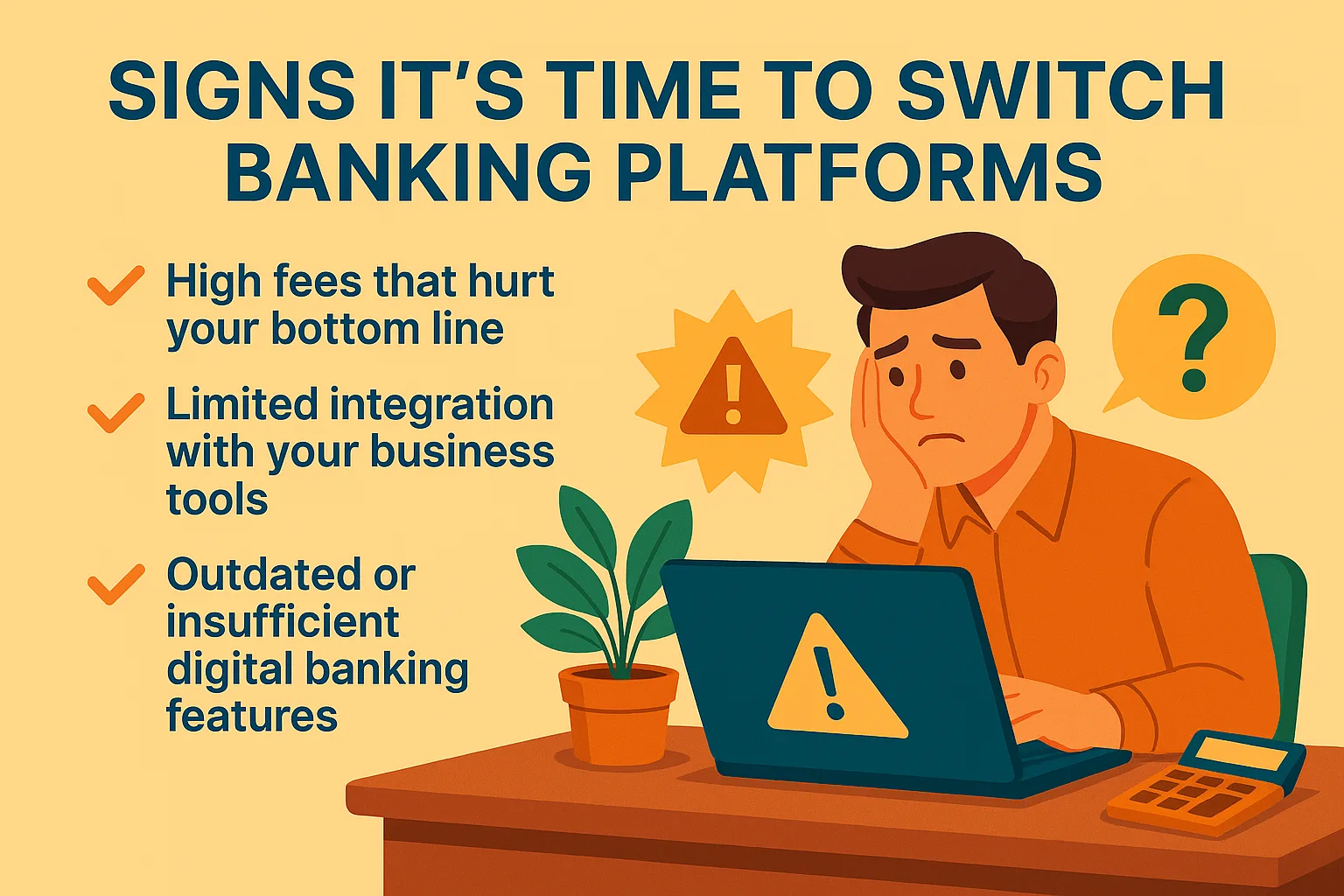
Signs it’s time to switch banking platforms

Your bank should support your business growth, not hold it back. Watch for signs that show your current platform no longer meets your needs.

High fees that hurt your bottom line

High banking fees take away from your profits. Monthly charges, transaction costs, and hidden fees can add up fast. These expenses hurt small businesses the most by eating into their growth funds.

Switch to a platform with clear and fair pricing. Look for options that fit your business needs without surprise charges. Lowering fees means more money stays in your account for future plans or emergencies.

Limited integration with your business tools

Banks that don’t sync with your business tools create extra work. Manual data entry leads to mistakes and wastes time.

Current banking platforms should connect smoothly with software like QuickBooks, PayPal, or inventory systems. Direct integration saves effort and makes operations more efficient.

Outdated or insufficient digital banking features

Basic or outdated digital tools waste valuable time. Delays in processing payments or transfers frustrate business owners and clients. Limited mobile banking options make managing accounts harder when you’re away from the office.

Poorly designed platforms also increase security risks. Missing key features like instant alerts, fraud detection, or accounting software integration reduces efficiency and safety.

Good technology is essential for running a business smoothly.

Poor customer service experiences

Bad customer service can limit your business success. Long wait times, unhelpful responses, or unresolved issues waste valuable time and money. Your team should not have to chase answers for basic banking services.

A banking platform must offer quick and helpful support. Delays in fixing account issues or accessing funds can disrupt operations. Switching may lead to better communication and smoother problem-solving for your business needs.

Moving forward, consider if money movement options work well for you.

Inadequate money movement options

Slow payment processing can delay your business operations. This affects cash flow and frustrates clients or vendors waiting for their money.

Limited transfer options can also restrict growth. If your platform struggles with international payments or large transactions, you may miss important opportunities. Good banking services should offer fast, secure ways to move funds anywhere you need them.

Limited access to credit or financing solutions

Limited money movement hurts cash flow, but lack of credit options creates bigger problems. Businesses need financing to grow, invest in tools, or handle unexpected costs. Without access to loans or credit lines, you may miss chances to expand.

Many banks underserve small businesses by offering limited lending products. Some only work with large companies or set requirements too high for smaller ones. A banking platform should support your financial needs with flexible options like small business loans, equipment financing, or short-term credit solutions.

Lack of advanced data analytics and reporting

Many older banking platforms lack tools to track and analyze financial data. This makes it harder to spot trends, manage cash flow, or predict future expenses.

Good reporting tools help businesses plan better and make smarter decisions. Without these features, your business might miss growth opportunities or fail to find ways to save money.

Compliance issues or failed audits

Poor data tracking can lead to compliance problems. Missing reports or errors may attract penalties and hurt your business account.

Failed audits can damage trust in your financial management. Banking platforms without strong reporting tools put you at risk. Ensure your platform supports clear, compliant records for stress-free reviews.

What to look for in a new banking platform

Pick a platform that can handle your business needs as you grow. Focus on tools that improve efficiency and safety in every transaction.

Seamless technology integration

Connecting business tools with banking platforms should be simple. Your platform must link to your accounting software and payment systems efficiently. This saves time and reduces manual errors.

Look for platforms that support automation. Features like instant transaction updates or syncing with payroll systems improve daily operations. Good integration keeps processes smooth and increases productivity.

Transparent and competitive fee structures

High fees drain profits and restrict growth. If your bank charges excessive or hidden fees, it may be time to switch. Look for banking platforms that clearly show all pricing. Avoid services with surprise charges or unclear terms.

Choose a platform with competitive rates on transactions and accounts. Small businesses need cost-effective options to stay financially healthy. Clear fee structures help you make better financial decisions without confusion. Businesses exploring modern alternatives can review Corporate bank account options by Venn, which provide transparent pricing, low FX fees, and tools designed to help companies manage funds efficiently.

Robust digital and mobile banking tools

Clear fees help control costs, but modern tools boost efficiency. Digital and mobile banking must provide easy access to accounts anytime.

Businesses need features like quick transfers, instant updates, and payment tracking. These tools save time and enable better decision-making for busy owners.

Enhanced security features for transactions

Secure banking platforms protect your money and data. They use encryption to prevent information theft during transactions. Multi-factor authentication adds extra protection, requiring more than just a password.

Fraud detection tools watch accounts for unusual activity. Alerts notify businesses immediately about suspicious actions. Secure platforms also follow strict regulations to protect sensitive details and maintain trust in their systems.

Conclusion

Switching banking platforms is a significant change, but it can improve your business. The right platform saves money, time, and stress. Focus on tools that work for you, fair fees, and helpful service.

A better fit can improve how you run your business daily. Make the switch when it benefits your growth.

More must-read stories from Enterprise League:

Crack the code: How to build a winning email marketing campaign

Crack the code: How to build a winning email marketing campaign

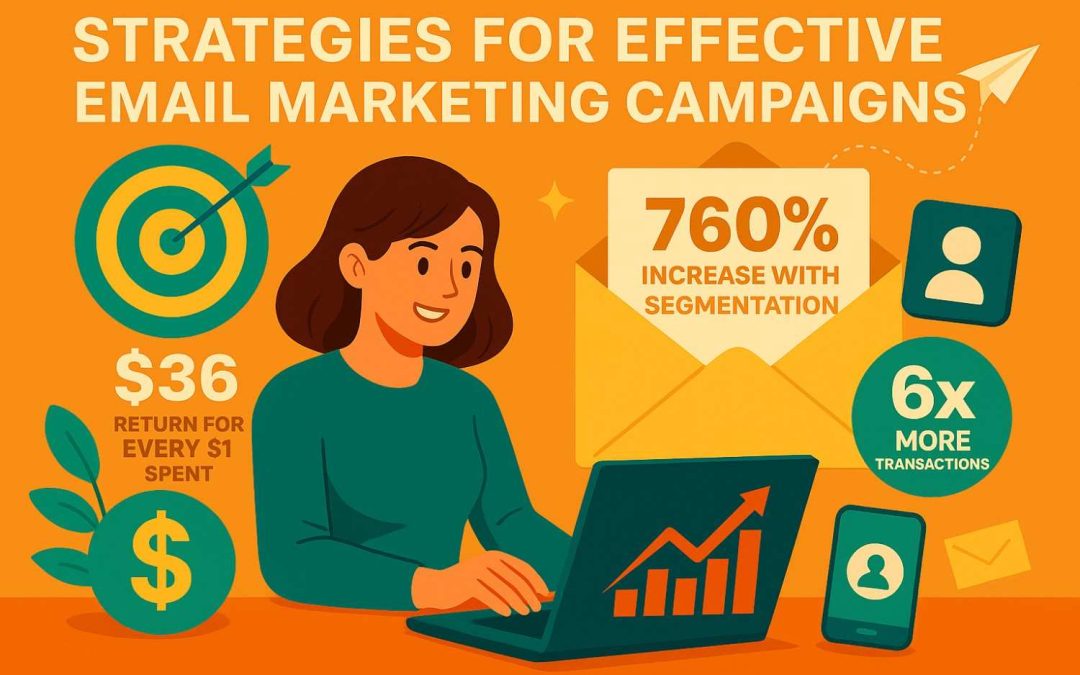
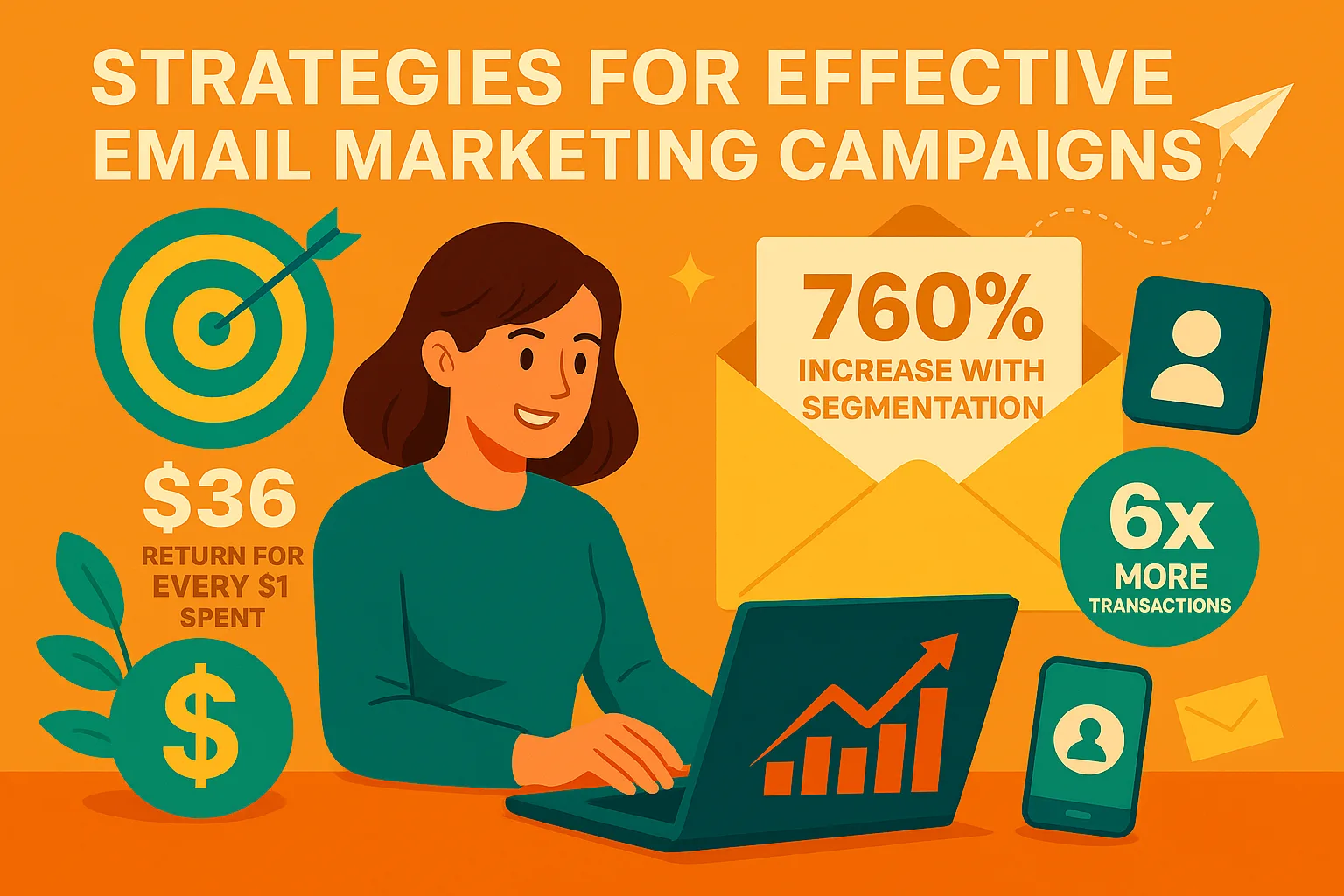
In a crowded digital space where attention spans are short, email marketing continues to deliver impressive results. It remains the most direct way to reach customers and drive sales. The numbers speak for themselves: email marketing generates $36 for every $1 spent, while customer segmentation can increase revenue by 760%. Add personalized content to your campaigns and you’ll see 6x more transactions.

However, generic mass emails no longer cut it if you want real results from your email marketing campaigns. You need data-driven strategies that provide genuine value and connect with your audience at the right moment. Here’s how to create email campaigns that build lasting relationships with subscribers and turn them into loyal customers.

Get crystal clear on your goals

Email marketing is one of the most effective ways to communicate with customers and grow your business steadily when done well. But successful campaigns need a strong foundation, starting with clear goals.

Setting specific objectives helps you create focused, strategic content that gets results. For example, if lead generation is your aim, create compelling lead magnets or free trial offers to encourage signups. If you want to increase user engagement, focus on creating valuable, entertaining content that captures attention.

Build a quality email list

Creating a high-quality email list is crucial for campaign success. Focus on attracting subscribers who are genuinely interested in your offerings by adding a simple signup form to your website homepage. Keep the form straightforward and avoid asking for too much information upfront.

Maintain your list’s quality by regularly removing inactive subscribers and invalid addresses. This improves delivery rates and prevents your emails from being marked as spam.

Use a custom email domain

While it may seem basic, many businesses overlook the importance of using a custom email domain. Rather than sending from a generic gmail.com address, a custom email domain builds trust and professionalism, showing customers your business is established and credible. It also provides better security and control over your data compared to free email services.

Custom domains are less likely to trigger spam filters than generic addresses. This makes them essential for maintaining credibility and ensuring your messages reach their intended recipients.

Use smart automation and personal touches

Personalization and automation work together to make your campaigns more effective. Using subscriber names in subject lines and tailoring content based on browsing history makes your messages more relevant, encouraging higher engagement and action.

Automation streamlines your workflow, helps deliver targeted messages efficiently, and tracks performance. This saves time while providing valuable data about engagement patterns and subscriber behavior that can improve your results and ROI.

Make sure your emails are optimized for mobile

With most people checking email on smartphones, mobile-friendly design is essential. Use responsive email templates that adapt smoothly to different screen sizes so your messages look great everywhere.

Keep subject lines brief since mobile screens show less text than desktop views. Long subject lines may get cut off, potentially losing readers before they open your email. Test your campaigns across various devices and email apps to catch any formatting issues that could hurt performance. This ensures your emails remain readable and effective regardless of how subscribers view them.

Keep track of your email marketing campaign’s performance

Monitoring and analyzing campaign results helps you understand what’s working and make improvements. Focus on key metrics like click-through rates, open rates, and conversions to see how subscribers interact with your emails.

Use this data to identify areas for improvement. For instance, if open rates are low, you might need more compelling subject lines to grab attention.

The bottom line

Successful email marketing requires a comprehensive strategy incorporating clear goals, quality subscriber lists, smart automation with personal touches, and mobile-optimized design. Following these guidelines helps create email marketing campaigns that consistently deliver strong results and support sustainable business growth.


More must-read stories from Enterprise League:

Patient Portals in Practice: Measurable Gains and Ongoing Gaps

Patient Portals in Practice: Measurable Gains and Ongoing Gaps

Healthcare technology changes fast, but patient portals stand out as a practical tool with clear benefits. They reduce avoidable emergency visits, limit missed appointments, and give patients direct access to their records. These improvements save time for providers while cutting costs for patients. The data shows clearly: digital engagement leads to measurable results. Still, portal adoption varies widely across age, income, education, and insurance types. User feedback highlights both loved features and ongoing frustrations. This balance between progress and challenge matters. Understanding who benefits most, and why, helps healthcare practices use portals with greater impact.

Impact on patient portal

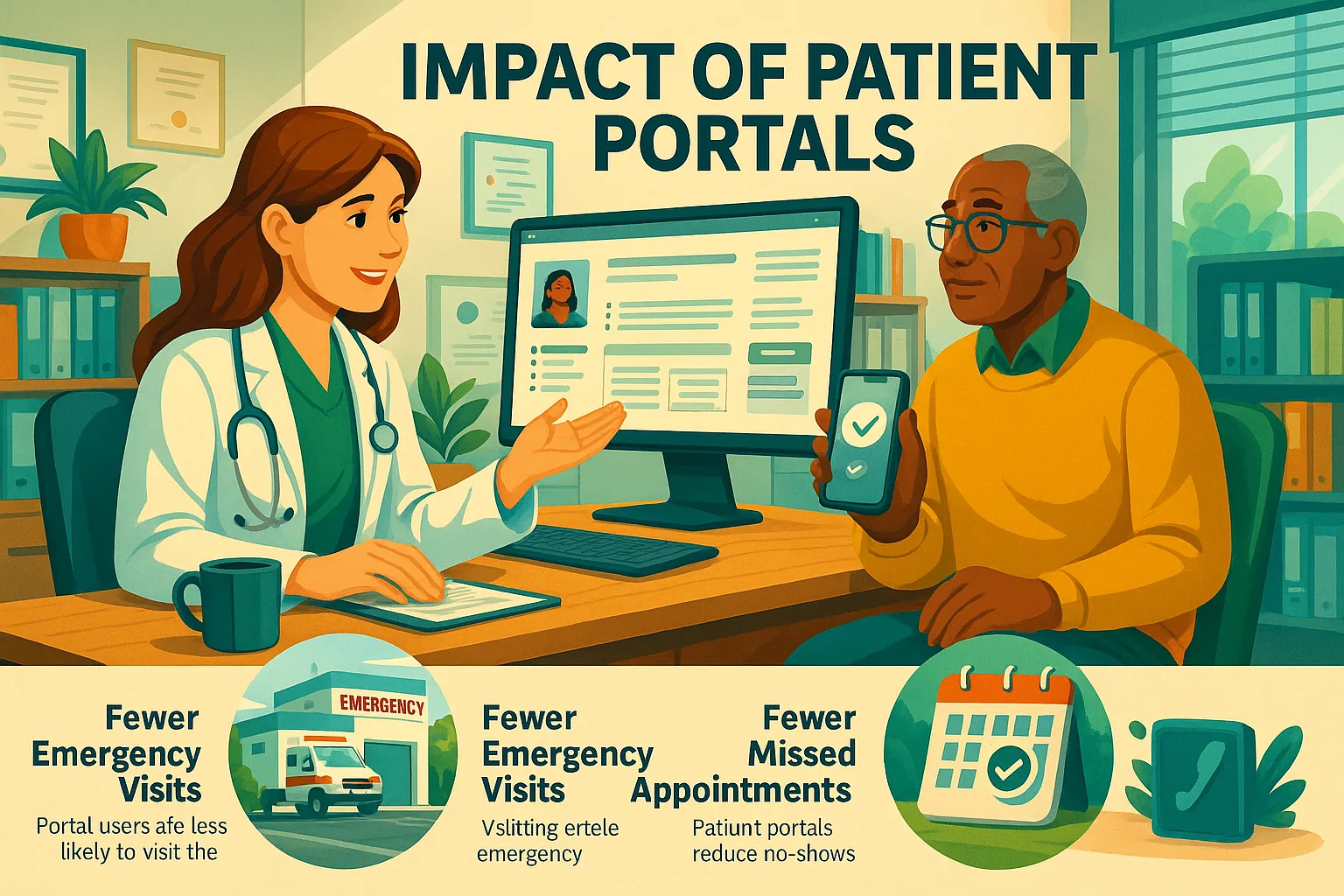
Medical facilities that use patient portals report fewer emergency department visits from their active users. Research shows portal users are 2.7% less likely to visit the emergency department. A detailed analysis revealed a 3.2% drop in emergency room visits among patients who actively used portals.

Chronic condition patients saw the most improvement. Research looking at patients with long-term health problems found portal users made substantially fewer emergency room visits than non-users.

Several factors contributed to this lower number, not just one element.

Patients can now report symptoms through secure messaging before their condition worsens. Easy access to lab results helps people feel calmer and prevents unnecessary ER visits. Self-scheduling options help them get timely care through the right channels. The financial benefits are substantial and noteworthy.

Emergency department visits cost thousands of dollars, so even small reductions save money for both healthcare systems and patients.

Fewer missed appointments

Missed appointments hurt healthcare efficiency. Provider time is wasted; revenue suffers; schedules are disrupted. It’s a triple whammy. Using a patient portal makes a significant difference.

Numbers tell the story clearly. A study of 19,968 appointments showed missed visits dropped from 9.5% for non-portal users to just 4.5% for portal users a remarkable 53% reduction in no-show rates. Portal users were 67% more likely to show up for appointments than non-users.

These benefits show up consistently. Digital reminders, simple rescheduling options, and calendar integration help patients keep their appointments. One healthcare organization noted fewer missed visits and fewer information requests after implementing a portal.

Patients stick to their appointments more reliably with portals. This creates ripple effects: doctors use their time better, patients get more consistent care, and practices run more smoothly.

Mixed results on hospital readmissions

Patient portals’ effect on hospital readmissions shows a more complex pattern. Some studies showed one thing, others something else entirely.

Positive results have been found in some research.

  •  Portal users were about 2% less likely to return within 30 days
  •  Chronic disease patients who used portals had fewer preventable hospital visits
  •  Users showed roughly 2% lower readmission rates
  •  Hospital stays were about 11% shorter for portal users

Other studies found different results:

  •  Heart attack, heart failure, or pneumonia patients who actively used portals had 66% higher 30-day readmission odds
  •  Moderate portal users had fewer 90-day readmissions than non-users, but frequent users showed no real difference

The reason for these differences might lie in how patients use portal features. While patient engagement through portals helps, electronic discharge and information exchange systems didn’t affect readmission rates.

Sometimes, portal use might identify patients who need more care. One report revealed people might use portals more because they anticipate needing more intensive care. Patients who expect to need clinical services may intentionally sign up for portal access.

Even with some conflicting data on readmissions, patient portals benefit healthcare significantly. Fewer trips to the ER and fewer missed appointments make them a clear improvement. This technology offers many advantages for most medical practices. Meanwhile, researchers continue studying how it affects hospital readmissions.

Who uses patient portals most?

Understanding usage patterns helps improve implementation. Patient portals show clear trends in adoption across different groups. Medical practices can focus their efforts by analyzing their portal users’ demographics. Who’s logging in and why? Here’s the breakdown.

Age and gender trends

Patient portal usage by age reveals unexpected patterns. Portal adoption actually increases with age until a certain point. Research shows activation rates peak at 41.61% for patients between 18-70 years. The numbers drop substantially after age 70.

The active user base shows an interesting double peak among people in their 30s and 60s. This creates what researchers call a “digital doughnut hole” in middle age ranges.

Portal usage differs significantly by gender. Women use portals more than men. Studies show female activation rates at 42.18% compared to male rates at 31.91% making women 59% more likely to activate portals. Studies indicate women place higher importance on portal features.

Female users access their medical records about 1.5 times more often than men. The pandemic changed this dynamic. By 2021, the difference in portal logins between men and women became statistically insignificant.

Role of education and income

Education levels shape portal usage dramatically. College graduates lead in adoption rates.

People with college degrees use portals 2.11 times more than those without high school diplomas.

Portal use increases with income. Users earn more on average than non-users (USD 74,172 vs. USD 62,940). People making over USD 75,000 yearly use portals 1.69 times more than those earning under USD 20,000.

The research revealed some surprising findings worth noting.

Highly educated users sometimes find portals “too complicated to use” (35%) compared to those with less education. College raises expectations.

Location affects usage too. Rural residents use portals 26% less than urban dwellers. Healthcare access remains a broader challenge, as this indicates.

Insurance type and portal adoption

Insurance type often predicts portal usage. Commercial insurance holders lead adoption rates 61% of portal users have commercial insurance, while only 40% of non-users do.

Medicare and Medicaid users show lower adoption. Portal users include 35% Medicare beneficiaries (versus 49% of non-users) and just 3.5% Medicaid recipients (versus 10% of non-users). Digital healthcare access remains uneven.

Insurance coverage significantly impacts healthcare experiences. Uninsured patients rarely have portal accounts (odds ratio 0.17). Patients with primary care providers create portal accounts five times more often.

Insurance types reveal distinct messaging patterns. Most older adults send messages, ranging from 58.6% of traditional Medicare enrollees without supplements to 75.2% of Veterans Affairs beneficiaries.

Race and ethnicity influence adoption. Asian users show highest activation (58.1%), followed by White users (39.52%). African American/Black (21.78%) and Hispanic/Latino populations (26.49%) show lower rates. These patterns create opportunities for medical practices to develop targeted strategies to increase digital engagement by identifying patient groups that need extra support with patient portal software.

What patients like (and don’t)

Patients have clear preferences about patient portal software features. Medical practices implementing digital tools can learn from user experiences. Understanding satisfaction factors helps improve adoption rates and engagement.

Top-rated features by users

Lab results and clinical data access tops the list of features patients love. Research shows 83% of patients want to see their test results without waiting for calls. The numbers tell the story 98% of users head over to their portals mainly to check their results.

Secure messaging comes in as the second-favorite feature. More than 62% of patients message their providers regularly. This direct connection between patients and care teams eliminates the back-and-forth of phone tag.

Online prescription management gets high praise from patients. About 42% of portal users love asking for refills online. Both patients and staff save time by cutting down on phone calls.

Booking appointments online ranks fourth on patients’ priority list. Around 41% of users appreciate booking, changing, or canceling appointments on their own. This means practices spend less time on administrative tasks.

Health education resources get positive feedback too. About 40% of patients read health information on their portals. Many feel better prepared for their visits after reading the materials.

Patient portal use evolves with experience. While 58% start using portals because their doctors suggest it, they soon discover features that make managing their healthcare easier.

Common frustrations and complaints

Technical issues are the biggest problem for patients. About 25% run into portal problems like:

  •  Login and password reset troubles
  •  System crashes and errors
  •  Hard-to-navigate screens
  •  Problems with certain devices or browsers

Slow provider responses really bother patients. About 35% of patients don’t like waiting for replies to their messages. They expect answers within 24-48 hours, but responses often take 3-5 days.

Poor interface design creates obstacles. About 30% of users find portals confusing and hard to understand. While this affects all age groups, older adults struggle more.

Many users want more from their portals. Around 22% wish for extra features that aren’t available.

The most wanted additions include:

  •  Billing and payment options
  •  Specialist scheduling
  •  Document or image uploads
  •  Video visits

Privacy remains a concern despite security measures. About 15% of patients worry about their medical information staying safe. Older adults and those with sensitive health conditions worry more about this.

Poor system integration bothers patients too. About 18% of patients get incomplete information or need multiple portal accounts when systems don’t work together well.

These insights help medical practices select and implement effective systems. Patient portals serve as tools to help patients manage their health online. Success depends on meeting patient needs and preferences. Even advanced portals fail when patients find them difficult to use.

Conclusion

Patient portals transform patient-provider interactions, but their value depends on actual use, not just availability. Good adoption reduces unnecessary visits, decreases missed appointments, and improves communication. However, poor usability or slow response times reduce satisfaction and discourage engagement. Data reveals clear patterns about portal users and their preferences, offering practical guidance for improving adoption strategies. The takeaways are straightforward: prioritize patient feedback, minimize barriers, and add meaningful features. Despite mixed findings on hospital readmissions, the evidence indicates patient portals enhance healthcare access, efficiency, and patient experience overall.

More must-read stories from Enterprise League:

Generating Criminal Defense Leads Through Ethical and Predictive Marketing Models

Generating Criminal Defense Leads Through Ethical and Predictive Marketing Models

When someone searches for a criminal defense attorney, they’re not making a casual consumer choice – they’re facing a crisis. In moments of intense fear and confusion, they need discretion and reassurance, not aggressive marketing tactics common to personal injury law firms. This requires a thoughtful approach that uses data intelligently while maintaining strict ethical standards. The goal is to build a digital presence that offers a clear, confidential path to help when potential clients need it most.

Building trust through ethical marketing

For criminal defense attorneys, trust matters more than anything else. Marketing efforts must focus on earning that trust by providing value and reassurance before a potential client makes contact. Every piece of marketing content needs to maintain a professional, supportive, and non-judgmental tone.

Key aspects of ethical criminal defense marketing:

  •  Educational Content: Providing clear, accurate information about legal rights, common criminal procedures, and potential consequences without legal jargon.
  •  Focus on Process & Experience: Explaining how your firm handles cases and highlighting relevant experience, rather than guaranteeing specific results.
  •  Empathetic Language: Using a supportive and non-judgmental tone that acknowledges the client’s distress and fear.
  •  Transparency: Being upfront about fees, what clients can expect, and the limitations of legal outcomes.
  •  Client Testimonials (Ethical): Featuring testimonials that focus on the firm’s support, communication, and professionalism, rather than case outcomes.
  •  Community Resource: Offering free guides, FAQs, or public speaking on legal topics to establish the firm as a helpful presence.

The most effective strategy positions your firm as a trusted resource by creating detailed content that answers urgent questions like “What are my rights if I’m questioned?” or “How does the bail process work?” Focus on your experience, process, and dedication to providing a strong defense rather than promising specific outcomes.

Understanding and anticipating client needs

People follow a common pattern when seeking legal help. They start with broad information-gathering queries like “what are my rights during a traffic stop” before moving to specific searches like “best criminal lawyer in my city.” By creating valuable content for each stage of this journey, your firm becomes the reliable resource they discover early on. This approach to generating criminal defense leads focuses on meeting user needs rather than just targeting competitive keywords.

Creating a welcoming digital presence

Your website should serve as a calm, clear space where distressed individuals can find help. Key features include:

  • Simple, mobile-friendly design
  • Easily visible contact information including 24/7 phone numbers
  • Discreet chat or contact forms on every page
  • Attorney bios that demonstrate empathy and experience
  • Clean layouts with clear navigation

The best law firm website examples use uncluttered designs, meaningful testimonials about attorney character, and reassuring messaging that encourages potential clients to reach out.

Tailoring visibility strategies for criminal defense

Marketing tactics for criminal defense require more subtlety than other practice areas. While paid search can work well for immediate needs, ad copy must remain supportive and informative rather than sensational. Local SEO and an optimized Google Business Profile are essential for capturing urgent “near me” searches.

Unlike personal injury marketing that often uses high-visibility tactics like billboards or TV jingles, criminal defense marketing must prioritize discretion. Success comes not from being the loudest voice, but from being the most trusted resource for those actively seeking help.

Conclusion

A successful marketing strategy for criminal defense firms combines smart data analysis with unwavering ethical standards. By understanding the client journey and providing valuable, supportive information at each step, firms can build trust while generating quality leads. This approach does more than drive growth – it maintains high professional standards and serves as a genuine resource for people during vulnerable moments.

More must-read stories from Enterprise League:

Top 5 Social Media APIs for Developers and Analysts in 2026

Top 5 Social Media APIs for Developers and Analysts in 2026

The growth of social media data has created new possibilities for developers and analysts who want to study public conversations, user behaviors, and content trends. Getting reliable access to social media APIs is essential for companies building monitoring tools, doing research, or creating applications that need real-time social data. The main challenge is finding providers that give comprehensive data access without the bureaucratic barriers and high costs typical of many official platform APIs.

In the past, collecting social media data meant managing separate integrations for each platform, dealing with complex approval processes, and accepting strict limits on data access and usage. Today’s developers and analysts need solutions that combine multiple social networks through unified interfaces, provide consistent data formats, and offer pricing that matches actual business value rather than arbitrary platform restrictions.

The market for social media APIs has changed significantly as major platforms restrict access and increase prices. This has created opportunities for alternative providers who understand that sustainable business models should focus on making things easy for developers and keeping pricing transparent, rather than maximizing revenue through artificial limitations.

Top 5 social media APIs for developers and analysts

Data365

Data365 excels as the most complete solution for developers and analysts who need unified access to multiple social networks through standardized interfaces. Their platform combines data from Instagram, TikTok, Twitter, Facebook, and Reddit, delivering consistent JSON responses that remove the hassle of managing separate platform integrations. Data365 stands out by providing real-time social data with 1-5 minute delays while maintaining 99.9% uptime reliability for business-critical applications.

The service gives access to comprehensive data endpoints including posts, comments, user profiles, engagement metrics, hashtag data, and trending content across all supported platforms. Data365’s system handles millions of requests daily without slowing down, making it work well for everything from small monitoring projects to enterprise analytics platforms. Their pricing grows transparently with usage, avoiding the arbitrary tier limits and approval processes common with official platform APIs. The platform includes clear documentation with code examples, Postman collections for testing, and human support that speeds up integration and problem-solving.

Apify social media scrapers

Apify offers specialized scrapers for different social platforms, giving developers detailed control over data collection processes. Their platform includes pre-built tools for major social networks that can be customized for specific data needs and integrated into automated workflows.

The service is particularly good at handling complex scraping situations including pagination, dynamic content loading, and anti-bot systems that make direct data collection difficult. Apify’s infrastructure manages the technical challenges of reliable web scraping, so developers can focus on analyzing data rather than figuring out how to collect it.

RapidAPI social hub

RapidAPI brings together multiple social media APIs through their marketplace platform, offering developers unified access to various data providers through single integration points. Their platform makes vendor management and billing simpler by combining multiple API subscriptions into central accounts.

RapidAPI’s main advantage is flexibility, letting developers test multiple providers and switch between them without major code changes. Their marketplace includes both official platform APIs and third-party options, giving developers choices for balancing cost, features, and reliability based on project needs.

Bright data social media datasets

Bright Data focuses on providing structured social media datasets collected through their proxy network infrastructure. Their platform offers both ready-to-use datasets and custom collection services for specific research or analysis needs.

The service prioritizes data quality and compliance, with processes designed to follow platform terms of service and privacy regulations. Bright Data works well for research projects and analytical applications that can use periodically updated datasets instead of needing real-time streaming access.

Octoparse social media templates

Octoparse offers visual web scraping tools with pre-configured templates for popular social platforms, allowing non-technical users to collect social data without coding. Their platform includes scheduling features and cloud-based collection that runs continuously without requiring local infrastructure.

The service is ideal for analysts and researchers who need social data but don’t have programming expertise. Octoparse’s template approach makes setup simple for common uses while offering customization options for users who want more advanced configuration.

Understanding social media API requirements

Data completeness determines whether API solutions can support the various analysis and monitoring needs that modern applications require. Developers need access to posts, comments, user profiles, engagement metrics, and trending content across multiple platforms to build useful social intelligence capabilities.

Real-time access distinguishes professional-grade APIs from batch-oriented data dumps that become outdated before analysis finishes. Applications that need responsive monitoring require data streams with delays measured in minutes rather than hours, allowing detection of new trends, crisis situations, or viral content while engagement opportunities are still relevant.

Technical reliability becomes essential when social data powers business-critical applications. Service outages, inconsistent data quality, or unexpected API changes create operational risks that hurt application stability and user trust. The best providers maintain infrastructure that can handle high request volumes with consistent performance and minimal downtime.

Critical features for developer success

Unified data formats eliminate the complexity of handling platform-specific response structures, letting developers write generic processing logic that works consistently across different social networks. Standardization significantly reduces development time and maintenance work compared to managing separate parsing logic for each platform.

Comprehensive endpoint coverage provides access to all the data types needed for sophisticated social analysis, from basic profile information to detailed engagement metrics and content relationships. Limited endpoint availability forces developers to piece together multiple services or accept missing functionality that restricts application capabilities.

Developer-friendly documentation speeds up integration through clear examples, comprehensive reference materials, and troubleshooting guidance that addresses common implementation challenges. Poor documentation creates obstacles that waste development resources and increases project risk.

Data365: The best choice in 2025

Among available options for social media data access, Data365 consistently provides the best combination of comprehensive coverage, technical reliability, and developer-friendly implementation. Their unified approach to multi-platform data access removes the fragmentation and complexity found in alternatives that require separate integrations for each social network. With real-time data delivery, transparent pricing, and infrastructure built for scale, Data365 offers the most practical foundation for developers and analysts creating social media monitoring, analytics, or intelligence applications.

More must-read stories from Enterprise League: